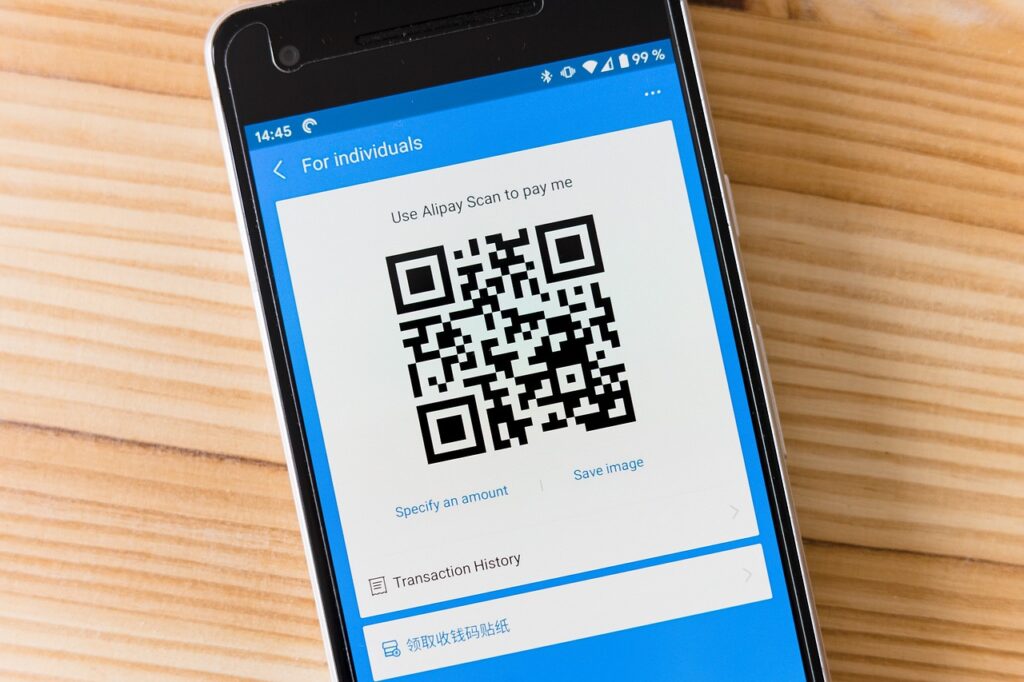

Many people assume that all banking apps are essentially the same—just a digital version of a traditional bank. In reality, the choice of app can dramatically affect budgeting, security, and overall financial health. Selecting the right banking app matters because it determines how effortlessly money can be tracked, how safely data is stored, and how quickly transactions are processed. A poorly chosen app can lead to hidden fees, slow customer support, or even security vulnerabilities that put personal funds at risk. Understanding the nuances between apps helps users avoid costly mistakes and empowers them to manage money with confidence.
📝 Contents
Understanding Banking App Reviews
Before diving into specific apps, it is essential to grasp what a banking app actually does. A banking app—software designed for smartphones or tablets—allows users to perform typical bank functions such as checking balances, transferring funds, paying bills, and depositing checks using a camera. These apps also often include budgeting tools, alerts, and integration with other financial services. Knowing these core capabilities helps readers evaluate whether an app meets their personal needs.
Another key concept is the distinction between “native” and “white‑label” apps. A native app is built and maintained by the bank itself, offering deep integration with the institution’s systems. A white‑label app is a third‑party platform that multiple banks brand as their own; it can provide a uniform experience across different banks but may lack some bespoke features. Understanding this difference clarifies why two apps from different banks might feel very similar or, conversely, why they might behave completely differently. distinction between native
| Metric | Why It Matters |
|---|---|
| Security Features (biometrics, encryption) | Protects personal data and prevents unauthorized access. |
| User Interface (UX) Simplicity | A clean design reduces errors and speeds up everyday tasks. |
| Fee Transparency | Clear fee structures avoid surprise charges. |
| Integration with Other Services | Allows seamless connection to budgeting tools, investment platforms, and payment networks. |
Core Banking App Approaches
1. Traditional Bank Native Apps
These are apps built directly by large, established banks such as Chase, Bank of America, or Wells Fargo. They usually mirror the bank’s website and provide full access to all account types, loan management, and in‑branch services.
- Strengths:
- Deep integration with the bank’s backend systems ensures real‑time balance updates.
- Robust security protocols, often including two‑factor authentication and biometric login.
- Comprehensive customer support tied directly to the bank’s existing service channels.
- Hurdles to Overcome:
- Interface can feel cluttered due to the breadth of features.
- Often slower to adopt innovative features compared to fintech‑focused competitors.
Best for: Users who already have multiple products (checking, savings, mortgages) with a single traditional bank and value consolidated service.
2. Fintech‑Focused Apps (e.g., Revolut, N26)
Fintech‑focused apps are built by non‑bank financial technology companies that partner with licensed banks to offer core banking services. They emphasize sleek design, low fees, and international functionality. nonbank financial technology
- Strengths:
- Modern, minimalist UI that simplifies everyday transactions.
- Competitive exchange rates and low‑cost international transfers.
- Instant notifications and budgeting insights built into the app.
- Hurdles to Overcome:
- Regulatory coverage can vary by country, affecting deposit insurance limits.
- Customer service may rely heavily on chat bots, leading to slower resolution for complex issues.
Best for: Tech‑savvy travelers and users who prioritize low fees and a streamlined experience over traditional brick‑and‑mortar services.
3. White‑Label Platform Apps (e.g., Q2, Backbase)
White‑label platforms provide a ready‑made banking app framework that multiple banks can brand as their own. The underlying technology is shared, but each bank can customize certain features.
- Strengths:
- Consistent experience across different banks using the same platform.
- Rapid rollout of updates and new features due to shared development.
- Cost‑effective for smaller banks that lack large development teams.
- Hurdles to Overcome:
- Customization limits may prevent banks from offering truly unique services.
- Potential for generic feel that lacks brand personality.
Best for: Regional or community banks that want a modern app without building from scratch. community banks
4. Credit‑Union Cooperative Apps (e.g., Alliant, Navy Federal)
Credit‑union apps are offered by member‑owned financial cooperatives. They often emphasize lower fees, higher interest rates on deposits, and community‑focused support.
- Strengths:
- Lower or no monthly maintenance fees compared to many big‑bank apps.
- Higher dividend yields on savings accounts.
- Personalized member support with a community orientation.
- Hurdles to Overcome:
- Membership eligibility can be restrictive (e.g., military affiliation).
- Fewer physical branches for in‑person assistance.
Best for: Individuals seeking lower costs and higher returns who qualify for membership.
5. Hybrid Banking Apps (e.g., SoFi Money, Ally Bank)
Hybrid apps blend traditional banking services with investment and loan products, aiming to become a one‑stop financial hub. They often provide high‑yield savings, low‑interest loans, and automated investing. Hybrid apps blend
- Strengths:
- Integrated suite of financial products reduces the need for multiple apps.
- Competitive interest rates on both deposits and loans.
- Strong digital‑first customer service with live chat and phone options.
- Hurdles to Overcome:
- Complexity of multiple product lines can overwhelm new users.
- Some features may be limited to U.S. residents only.
Best for: Users who want a unified platform for banking, investing, and borrowing.
| Option | Best For | Difficulty | Cost | Speed |
|---|---|---|---|---|
| Traditional Bank Native Apps | Existing customers of large banks | Low (familiar UI) | Usually free, possible fees for premium services | Real‑time updates |
| Fintech‑Focused Apps | Travelers and fee‑sensitive users | Medium (new UI learning curve) | Low to none, transparent fee schedule | Near‑instant transfers |
| White‑Label Platform Apps | Customers of smaller regional banks | Medium (standard banking UI) | Often free, minimal fees | Fast, but occasional update lag |
| Credit‑Union Cooperative Apps | Members seeking low fees and high yields | Low (simple layout) | Very low or none | Prompt, with occasional batch processing |
| Hybrid Banking Apps | Users wanting an all‑in‑one financial hub | Medium to High (multiple product sections) | Low to moderate, depending on services used | Fast for banking, slightly slower for investment actions |
How to Choose the Right One
First, identify the primary purpose of the app. If the main goal is simple checking‑account management, a traditional native app may suffice. However, if budgeting, international travel, or investing is also important, a fintech‑focused or hybrid solution might deliver greater value. Write down the top three tasks you perform most often—such as bill pay, real‑time transfers, or expense categorization—and use that list as a filter.
Second, evaluate security requirements. Look for apps that support biometric authentication (fingerprint or facial recognition) and employ end‑to‑end encryption. Apps that provide a separate virtual card number for online purchases add an extra layer of protection against fraud. If the app stores sensitive data locally, ensure it uses encrypted storage rather than plain text. Second evaluate security
Third, consider cost structure. Some apps advertise “free” usage but hide fees in foreign‑exchange markups or low‑balance penalties. Review the fee schedule for monthly maintenance, overdraft, ATM surcharge, and transfer fees. For users who keep large balances, an app with higher interest on savings may offset minor fees.
Fourth, assess usability and support. A clean user interface reduces the chance of mistakes—especially important for users who are not tech‑savvy. Test the onboarding flow by watching demo videos or reading user reviews. Also, verify that the app offers multiple support channels (phone, chat, email) and reasonable response times.
Finally, think about future needs. If planning to apply for a loan, open an investment account, or use cryptocurrency services, choose a platform that can grow with those ambitions. Switching apps later often means transferring account numbers, re‑establishing direct deposits, and re‑learning navigation, which can be disruptive. Finally think about
Why People Are Paying Attention
Choosing the right banking app can dramatically improve financial confidence. A well‑designed app provides instant visibility into spending, allowing users to spot wasteful habits before they become entrenched. The convenience of mobile check deposit eliminates the need for physical trips to the branch, saving time and transportation costs. Robust security features give peace of mind, reducing anxiety over potential data breaches or unauthorized transactions.
Real‑time alerts for low balances or large withdrawals help prevent overdraft fees and protect against fraud. Integrated budgeting tools turn raw transaction data into actionable insights, making it easier to set and achieve savings goals. Finally, transparent fee structures empower users to compare costs across providers, ensuring they keep more of their hard‑earned money.
Closing Thoughts
Evaluating banking apps requires a clear picture of personal financial priorities, security expectations, and cost tolerance. By comparing core approaches, weighing strengths against hurdles, and applying the decision framework outlined above, users can confidently select an app that aligns with their lifestyle. The right choice transforms everyday banking from a chore into a seamless, empowering experience.