
Before: A customer manually visits a branch, fills out paper forms, and waits in line for a teller to process a simple funds transfer, often spending 30 minutes or more.
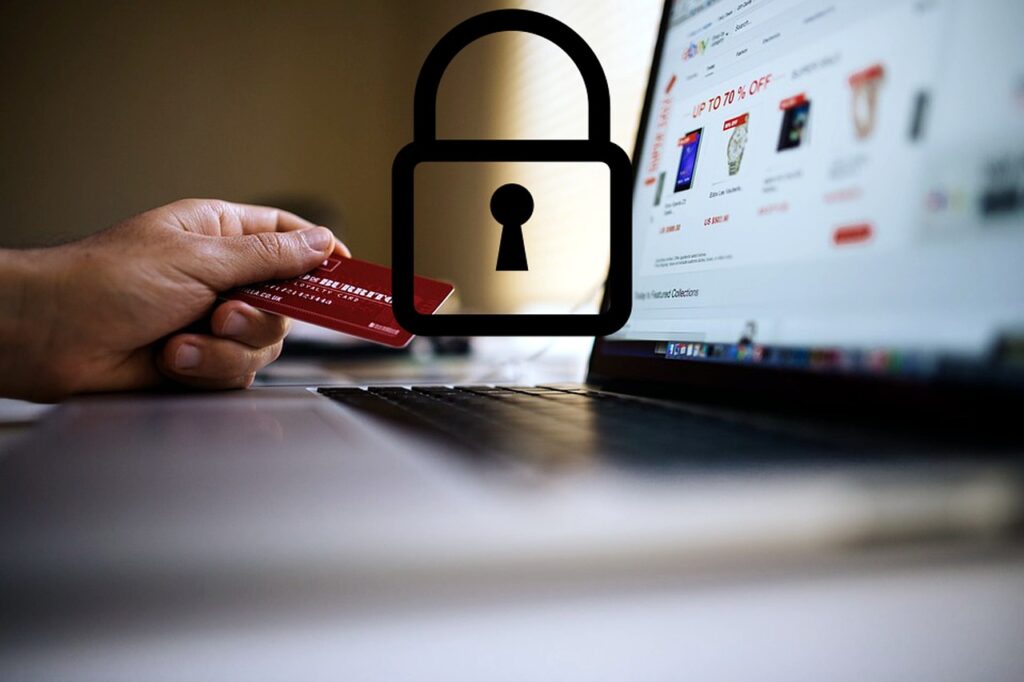
After: The same customer logs into an online portal, initiates the transfer with a few clicks, receives instant confirmation, and frees up the entire day for other activities.
If you have just heard the term “internet banking” and wonder how digital channels can replace traditional branch visits, this guide provides the foundational data, practical steps, and common questions needed to start confidently.
📝 Table of Contents discover more
What Is Internet Banking?
Internet banking, also known as online banking, is a digital platform that allows customers to conduct financial transactions, access account information, and manage services through a secure web interface or mobile app, without physical branch interaction.
| Term | Plain-English Meaning |
|---|---|
| Two-Factor Authentication (2FA) | A security step that requires two separate proofs of identity, such as a password plus a one-time code. |
| Encryption | The process of converting data into a coded format that can only be read with a decryption key. |
| API Integration | Connecting bank systems with third‑party apps through standardized programming interfaces. |
| Digital Wallet | An electronic device or app that stores payment information for online transactions. |
| Transaction Limit | The maximum amount that can be moved in a single online transaction, set by the bank for security. |
| Session Timeout | Automatic logout after a period of inactivity to protect the account. |
Why Internet Banking Matters
Industry studies show that 78% of consumers in 2023 preferred digital channels for routine banking tasks, citing speed and convenience as primary drivers. This shift reduces operational costs for banks by an average of 30%, allowing them to allocate resources toward product innovation.
Small‑business owners benefit directly: data from 2024 indicates that firms using internet banking processed invoices 45% faster, improving cash flow and reducing days sales outstanding (DSO) from 52 to 28 days on average.
For underserved populations, internet banking expands access. A 2022 global survey revealed that 62% of adults without nearby branches accessed basic banking services through mobile apps, effectively lowering the financial inclusion gap by 14% over five years.
Internet Banking Methods Worth Knowing
1. Account Registration and Setup
This step involves creating a digital profile linked to an existing bank account, typically through the bank’s website or mobile app. step involves creating
Begin by navigating to the registration portal, entering personal identifiers (name, address, Social Security number), and setting a strong password that meets complexity requirements (minimum 12 characters, mix of letters, numbers, symbols). Complete the process by verifying identity through a document upload and a one‑time code sent via SMS or email.
Common beginner mistake: reusing passwords from other services, which weakens security.
- What You Gain:
- Immediate access to all account features online.
- Ability to set up alerts and preferences.
2. Enabling Two-Factor Authentication (2FA)
2FA adds a second verification layer, typically a time‑based one‑time password (TOTP) generated by an authenticator app.
Activate 2FA in the security settings, scan the QR code with an authenticator app (e.g., Google Authenticator), and store backup codes in a secure location. Test the setup by logging out and logging back in, entering both password and the generated code.
Common beginner mistake: ignoring backup codes, leading to lockout if the device is lost. Common beginner mistake
- What You Gain:
- Reduced risk of unauthorized access.
- Compliance with most banks’ security standards.
3. Performing a Funds Transfer
Funds transfer moves money between accounts, either within the same bank (internal) or to external institutions (ACH, wire).
Select the “Transfer” option, choose source and destination accounts, enter the amount, and confirm the transaction. For external transfers, verify the recipient’s routing and account numbers, and note any applicable processing fees. Review the confirmation screen before final submission.
Common beginner mistake: mistyping the recipient’s account number, causing failed transfers.
- What You Gain:
- Instant movement of money between own accounts.
- Ability to schedule recurring transfers.
4. Paying Bills Online
Bill pay automates recurring payments to utilities, credit cards, and other service providers.
Enter the payee’s name, account number, and billing address, then set the payment amount and date. Use the “Save Payee” feature for future cycles, and enable email notifications for successful payments. Verify that the payment date aligns with due dates to avoid late fees. payees name account
Common beginner mistake: forgetting to update payee details after a service provider changes its billing number.
- What You Gain:
- Elimination of paper checks.
- Reduced risk of missed payments.
5. Accessing Statements and Transaction History
Digital statements provide searchable, downloadable records of account activity.
Navigate to the “Statements” tab, select the desired month, and choose PDF or CSV format. Use the search function to locate specific transactions by keyword, amount, or date. Store statements in a secure cloud folder for audit readiness.
Common beginner mistake: downloading statements on unsecured public Wi‑Fi, exposing data.
- What You Gain:
- Quick retrieval of historical data for budgeting.
- Compliance with tax documentation requirements.
6. Setting Up Alerts and Notifications
Alerts inform users of account activity, low balances, or suspicious transactions in real time. Alerts inform users
In the “Security” or “Alerts” menu, select trigger conditions (e.g., balance $500) and choose delivery channels (SMS, email, push notification). Test each alert by initiating a small transaction that meets the criteria.
Common beginner mistake: disabling alerts to reduce notification fatigue, which can hide fraud signals.
- What You Gain:
- Proactive monitoring of account health.
- Early detection of unauthorized activity.
7. Using Third‑Party Financial Apps via API Integration
API integration allows external budgeting or investment apps to read transaction data securely, enhancing financial planning.
Authorize the third‑party app through the bank’s developer portal, granting read‑only access to specific data scopes (e.g., account balance, transaction list). Review permission logs regularly and revoke access for apps no longer in use.
Common beginner mistake: granting full‑access permissions, exposing sensitive data beyond necessity. Common beginner mistake
- What You Gain:
- Automated categorization of expenses.
- Holistic view of financial health across institutions.
Summary of Internet Banking Steps
| Step | What You Do | Expected Result |
|---|---|---|
| 1 | Register and verify your online account. | Full access to digital banking features. |
| 2 | Enable Two-Factor Authentication. | Enhanced account security. |
| 3 | Initiate funds transfers. | Rapid movement of money. |
| 4 | Set up and manage bill payments. | On‑time payments without paper checks. |
| 5 | Download statements and review history. | Easy record‑keeping and audit trail. |
| 6 | Configure alerts and notifications. | Real‑time awareness of account activity. |
| 7 | Connect third‑party apps via API. | Integrated financial insights. |
Frequently Asked Questions
How secure is internet banking compared to branch banking?
Data from 2024 indicates that fraud loss rates for online transactions are 0.5% lower than in‑branch transactions, primarily due to encryption, 2FA, and continuous monitoring.
Can I access internet banking on a public computer?
It is possible, but industry best practices advise against it because session hijacking risk increases on shared devices; use a private device whenever feasible.
What fees are typically associated with online transfers?
Domestic ACH transfers are often free, while wire transfers can range from $15 to $30 per transaction; fees are disclosed in the bank’s pricing schedule.
How do I reset a forgotten password?
Use the “Forgot Password” link, answer security questions, or receive a reset code via registered email or SMS; then create a new password that meets complexity rules.
Is internet banking available 24/7?
Yes, most platforms operate continuously, though scheduled maintenance windows (usually 1–2 hours per month) may temporarily suspend service.
Worth Remembering
Adopting internet banking reduces transaction time, enhances security, and expands financial accessibility. Consistently apply security measures such as 2FA and regular password updates. use the digital tools outlined to streamline personal and business finances effectively.